Santander Online Banking: Master Your Money in 2025
Discover Santander's digital tools, mobile app, safety tips, and hidden fees. Learn how to get the most from Santander online banking in 2025.
Banking has moved out of the branch and into your pocket. Santander, one of Europe's largest banking groups, has invested heavily in its digital experience. Whether you're a longtime customer or just considering opening an account, understanding Santander's online banking platform is essential. In this guide, we'll walk you through the sign-up process, highlight standout features, uncover fee traps, and show you how to protect your money in 2025.
Getting Started with Santander Online Banking
Enrolling in Santander online banking is straightforward. You'll need your account number or card number, your online banking PIN, and a way to receive a one-time passcode via text or email. If you haven't received your credentials, you can request them through the app or by calling customer service. Once you're set up, you can log in on the web or via the mobile app.
The platform offers several ways to authenticate. You can use a traditional password and PIN, but Santander also supports biometric login on the app. That means fingerprint or facial recognition for eligible smartphones. For a higher level of security, you can enable two-factor authentication, which sends a unique code every time you log in. This extra step can feel tedious, but it's far safer than relying on a password alone.
The Santander Mobile App: Banking on the Go
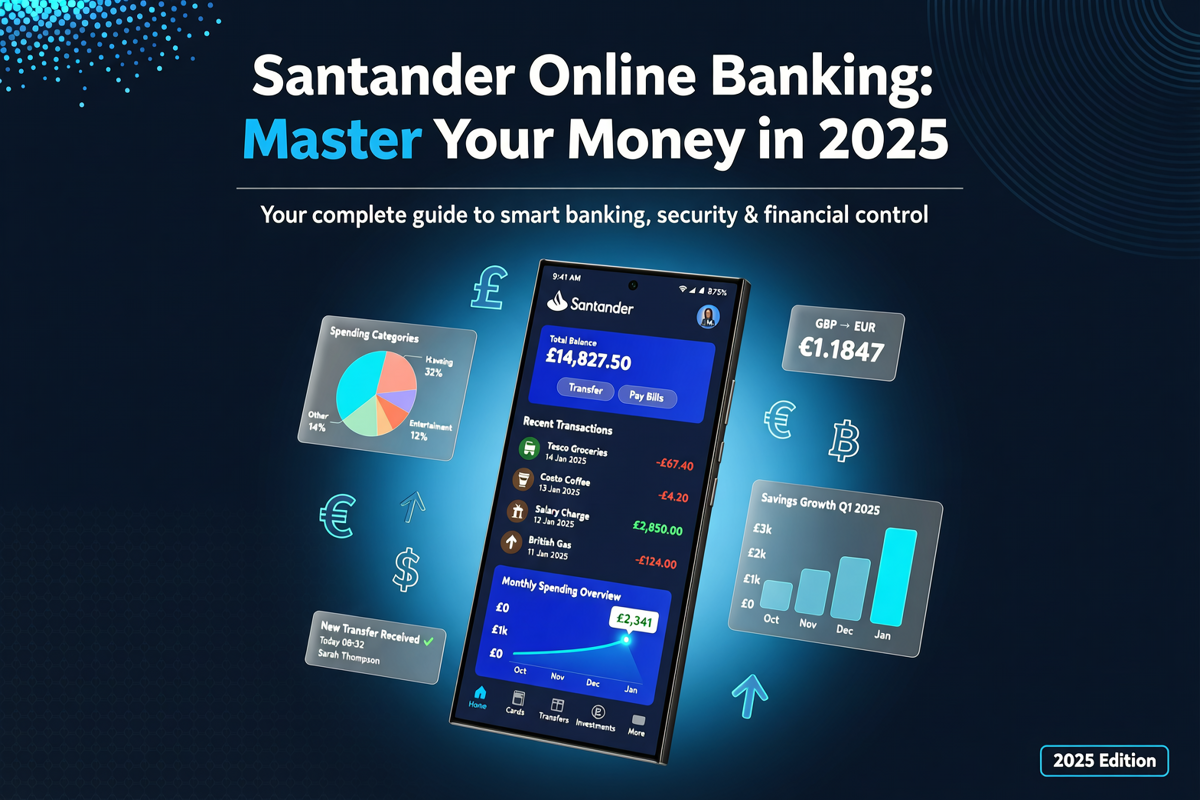
The Santander mobile app, available for both iOS and Android, is the centerpiece of its digital offering. It lets you check balances, review transactions, transfer money, pay bills, and deposit checks. You can also freeze and unfreeze your debit card instantly if you lose it. That feature alone can save you from a headache and potential fraud charges.
One of the most convenient features is the 'Quick Balance' function. With a single tap, you can see your account balances without logging in. This is perfect for a quick peek while standing in line, but note that it doesn't show your full transaction history. For more detailed insights, you'll need to log in fully.
The app also supports contactless payments through mobile wallets. You can add your Santander debit and credit cards to Apple Pay, Google Pay, or Samsung Pay. This means you can leave your physical wallet at home and still pay securely at millions of stores worldwide. In 2025, this is less of a luxury and more of a daily expectation.
Santander's app includes a budgeting tool called 'Spend Analysis.' It automatically categorizes your purchases into groceries, dining, utilities, and other buckets. You can see monthly spending patterns and set budgets for each category. While it's not as sophisticated as standalone budgeting apps like Mint or You Need a Budget, it's a solid starting point for those who want everything under one roof.
Fee Alert: What Santander Online Banking Doesn't Tell You
Digital convenience doesn't mean free banking. Santander's fee structure can surprise you if you're not paying attention. Let's look at some common charges to watch out for.
- Monthly maintenance fee: Many Santander checking accounts charge a monthly fee unless you meet a minimum balance requirement or receive direct deposits. For example, the Santander Bank Checking account may waive the fee with $500 in direct deposits or a $500 minimum daily balance.
- Overdraft fees: If you spend more than you have, you'll pay an overdraft fee per transaction. This can add up quickly. Santander offers free overdraft protection transfers from a linked savings account, but the standard overdraft fee is still significant.
- Out-of-network ATM fees: Santander has its own ATMs, but using an out-of-network machine will cost you a fee, plus any fee the ATM owner charges. Always check the app to find a Santander ATM nearby.
- Foreign transaction fees: If you use your Santander debit card abroad, you'll likely pay a foreign transaction fee of 3%. This also applies to online purchases in foreign currencies.
- Paper statement fee: In an attempt to encourage digital adoption, some Santander accounts charge a small fee if you request physical statements by mail. Opt for e-statements to avoid this entirely.
Understanding these fees is critical. Hidden fees can eat into your balance and turn a 'free' checking account into an expensive one. Read the fee schedule carefully and set up alerts to prevent overdrafts. Santander lets you choose to decline transactions that would overdraw your account, which can spare you the fee in the first place.
Security First: Protecting Your Santander Account
Online banking is convenient, but it also attracts cybercriminals. Phishing scams, identity theft, and account takeover attempts are on the rise. Santander takes security seriously, but you also have a role to play.
First, never click on suspicious links in emails or texts that claim to be from Santander. A legitimate bank will never ask for your password or full PIN via email. If you receive a message that looks official, go directly to the Santander app or website and check for notifications there. You can also call the number on the back of your card.
Second, use a strong, unique password for your online banking. Don't reuse a password you've used on other sites. A password manager can help you generate and store complex passwords securely. Additionally, enable biometric login on your phone for an extra layer of defense.
Third, monitor your accounts regularly. Santander's app allows you to set up custom alerts. You can get a push notification every time your card is charged, or only when a charge exceeds a certain amount. These real-time alerts make it easier to spot unauthorized transactions early. If you see something suspicious, freeze your card immediately in the app and contact Santander's fraud department.
Customer Service and Digital Support
Even with a user-friendly app, questions will arise. Santander offers 24/7 customer support by phone, but hold times can vary. The online chat feature within the app is often faster. You can also use the built-in scheduling tool to book an appointment with a banker at a local branch if you prefer face-to-face assistance.
The app's virtual assistant, known as 'Santander Assist,' can answer common questions about balances, transactions, card activation, and more. It's not perfect, but it can handle simple queries without needing a human agent. For more complex issues like disputes or loan applications, you may need to escalate to a phone call or branch visit.
Santander's social media customer service is responsive as well. Twitter and Facebook teams can help with general inquiries and direct you to the right channel. However, they won't ask for sensitive information on public platforms, so never share account details on social media.
The Verdict: Is Santander Online Banking Right for You?
Santander's online banking platform is robust. The mobile app is polished, feature-rich, and continually updated. You can handle nearly all of your banking needs without setting foot in a branch. The budgeting tools, card controls, and secure login options put it on par with other major digital banking offerings.
However, it's not without drawbacks. The fee structure can be punitive if you're not careful, and the savings account interest rates are rarely the highest on the market. If you need high-yield savings or reimbursement for all ATM fees, you might prefer a purely online bank like Ally or Chime. But if you value the ability to visit a physical branch when you need a notary, cashier's check, or cash deposit, Santander provides a solid hybrid experience.
Ultimately, mastering Santander online banking in 2025 comes down to knowing the features, avoiding unnecessary fees, and staying vigilant about security. Take time to explore the app's settings, set up your alerts, and review your monthly statements. A little proactive effort can make your digital banking experience safe, efficient, and even rewarding. Try making a mobile check deposit or setting up a recurring transfer — you'll quickly discover why millions of customers trust Santander for their everyday banking needs.